Share
Product Roundup: What’s New in PhotoShelter for 2026
PhotoShelter continues to innovate in 2026, with new features including AI Alt Text, Live Stream Video Workflow, TikTok Support, and more.

Content teams are under pressure to move faster, but speed only works when the right systems are in place. Teams need to find the right assets, share them across channels, meet accessibility needs, and understand how content performs without adding more manual work.
That’s where this year’s PhotoShelter updates come in. From AI-powered accessibility tools to expanded social sharing and smarter asset management, these releases help teams get more from their content while keeping control over how it’s organized, shared, and used.
Clip and share live moments with Live Stream Video Workflow
Live broadcasts create some of your most valuable content. But if your team has to wait until the event ends to use it, the value fades fast.
Live Stream Video Workflow brings your live broadcast into PhotoShelter as it happens, so your team can clip and share moments while the event is still live. When the broadcast ends, the full video is saved to your Library, where PhotoShelter AI runs post-stream to make the content searchable and ready to use again.

With Live Stream Video Workflow, teams can now:
- Clip live highlights
- Share clips through PhotoShelter
- Push clips to Socialie
- Save full broadcasts to the Library
- Use AI Visual Search and PeopleID after the stream
- Keep live broadcasts, clips, photos, recorded videos, rights, portal sharing, and Socialie distribution in one DAM
Find and share the right video moments faster
Video libraries are growing fast, but finding the right moment inside a video can still take too much time. A quote, player appearance, product shot, speaker segment, or piece of B-roll can be buried inside hours of footage.

PhotoShelter’s video enhancements help teams search and use video with more precision. Instead of scrubbing through long recordings, teams can use AI-powered search, searchable transcripts, time-based metadata, and time-stamped PeopleID tagging to jump directly to the moments they need.
Teams can now:
- Clip videos
- Search video transcripts
- Add time-based metadata
- Use AI Visual Search for video
- Find time-stamped PeopleID matches
Lumen Portal gives external users a better way to find content
Whenever someone cannot find a photo, the request usually lands with your team. The new Lumen Portal gives invited users a cleaner way to search, browse, and retrieve content on their own.
“With Lumen, we’ve delivered a cleaner, easier, and more flexible portal, helping creative teams discover and take action on visual content at the speed that today’s market demands. And this leap forward also gives the PhotoShelter team the foundation to innovate faster than ever.”
CEO, PhotoShelter

Lumen includes new capabilities that were not available in the Classic Portal, including:
- More sort options
- Mortar View for visual browsing
- Search filters across metadata fields
- Accessibility and mobile compatibility
- Metadata visibility directly within the portal
- Ability to search for specific galleries and containers by name
- AI Visual Search results using metadata and AI-generated tags
Create once, update everywhere with Content Derivatives
One image multiplies into a website banner, an Instagram post, an email header, a sponsor asset, and several ad sizes. What starts as a single file turns into a growing web of versions scattered across platforms, leaving teams juggling duplicates, chasing updates, and struggling to keep everything aligned.

With Content Derivatives, teams can manage different versions of an asset directly in PhotoShelter while keeping them tied to the original file.
“Teams are constantly turning one asset into five, ten or even hundreds of versions just to meet different channel requirements. Most of that work still happens manually, which slows teams down and creates unnecessary versions to manage. Now, teams can create those formats without adding more steps.”
Chief Marketing Officer, PhotoShelter
If the original asset is updated, PhotoShelter automatically updates the linked derivatives in the background. So when a logo changes, a product image gets retouched, or a sponsor asset needs to be replaced, your team does not have to track down every version and update each one by hand.
Teams can now:
- Create channel-ready content faster
- Crop, resize, and reformat assets in PhotoShelter
- Save custom presets for recurring formats
Bring TikTok into your distribution process with Socialie
TikTok is a core channel for audience engagement, but many teams still manage TikTok distribution through texts, emails, DMs, and one-off follow-ups. That makes it harder to get approved content to publishers and harder to see what happens once the content goes live.
“TikTok has been an outlier in an otherwise structured social workflow. Content is still being shared with influencers through texts and DMs, and once it’s posted, teams often have no clear view into what actually performs. This brings TikTok into a system where that activity is finally centralized and measurable.”
Chief Marketing Officer, PhotoShelter

With TikTok support in Socialie, brands can now:
- Distribute TikTok content through existing Socialie processes
- Provide ready-to-use captions to publishers
- Track TikTok engagement performance
- Manage social distribution across major channels in one place
- See which publisher content is driving engagement
AI Alt Text makes accessibility part of the upload process
Writing alt text for every image takes time, especially when teams are managing thousands of assets across public portals, websites, and content libraries.
For organizations that rely on PhotoShelter to distribute content at scale, that manual work adds up fast. At CSU, Dominguez Hills, PhotoShelter helps the team move assets across a large network of stakeholders.

“PhotoShelter has made everybody’s life easier, especially the designers. I know that all three of them have said they are saving hours in a week. Hours. Now, they can just type in what they need and boom, done. And for me, that’s a huge plus if I can help them. I don’t need them wasting their time. It means they’re getting the product out quicker.”
University Photographer, California State University Dominguez Hills
With PhotoShelter’s AI Alt Text, teams can:
- Support accessibility and WCAG efforts
- Reduce manual metadata work
- Add alt text during upload
- Review and edit AI-generated suggestions
- Make public-facing content easier for screen readers to interpret
How these updates work together
Collectively, they help teams move content from creation to distribution with less manual work.
AI Alt Text helps make accessibility part of the upload process. Content Derivatives helps teams create the right version for each channel without losing connection to the original file. Lumen gives invited users a better way to find and access content on their own. TikTok support in Socialie helps teams distribute publisher content and track performance in one place. Expanded video capabilities help teams find, clip, and share the moments that matter faster.
Moving forward into the rest of 2026
As PhotoShelter continues to build throughout 2026, the focus remains the same: reduce manual work around content so teams can spend less time managing assets and more time putting them to work.
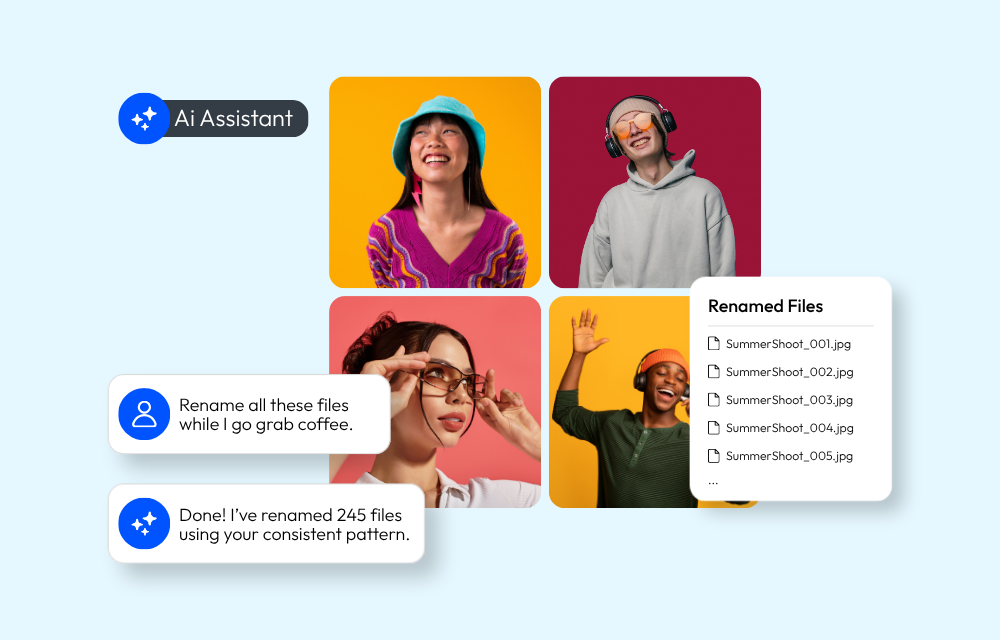
Looking ahead, we’re excited to launch an AI assistant and continue to invest in product improvements that help marketing and creative teams work faster. Stay tuned for more updates.
Ready to transform your team’s creative workflow?
You May Also Like
-

Brand Growth, Trendsetters
More Leading Brands Join the PhotoShelter Millions Club
Get to know the latest brands to join the PhotoShelter Millions Club, each housing over one million files in their media libraries.
-
PhotoShelter News, Product Updates
PhotoShelter Introduces AI Assistant
PhotoShelter’s AI Assistant helps teams rename files, build galleries, clean up metadata, and organize assets using plain-language requests.
-
DAM 101
What is the Best Bynder Alternative? PhotoShelter vs. Bynder
Compare PhotoShelter to Bynder on AI search, onboarding, and integrations. Find the best DAM for your team.


