PhotoShelter DAM Integrations
With PhotoShelter DAM integrations, your asset library works seamlessly with other apps to create your team’s fastest creative workflow.
-
Featured Learn more

Adobe Creative Cloud
Access PhotoShelter in any Adobe project file without ever leaving the app.
-
Learn more

Adobe Express
Pull any of your team’s assets directly from PhotoShelter into Adobe Express and easily upload assets back to your DAM when you’re done
-
Learn more

Adobe Lightroom
Export content from Lightroom straight into your PhotoShelter library.
-
Learn more

Adobe Premiere Pro
Search for and use files from a PhotoShelter Library in any Premiere Pro project file without ever leaving the app.
-
Learn more

AP
Get real-time access to licensed AP photos, videos, and stories for social media content distribution. Seamlessly search, manage, and publish up-to-date news content alongside your…
-
Learn more

Asana
Auto-send files in Asana to PhotoShelter and make approved assets available to everyone.
-
Learn more

Azzuu
Import branded graphics and templates from Azzuu to speed up creation and ensure consistency for social media content distribution
-
Learn more

Box
Send files from Box straight into your PhotoShelter library.
-
Learn more

Canva
Search, find, and leverage content from your PhotoShelter library within Canva.
-
Learn more

CI Hub
CI HUB is the world’s leading provider of in-app connectivity software.
-
Learn more

Dropbox
Send files from Dropbox straight into your PhotoShelter library.
-
Learn more

Drupal
Pull files from your PhotoShelter library straight into your Drupal CMS.
-
Learn more

Figma
Pull any of your team’s assets directly from PhotoShelter into Figma and easily upload assets back to your DAM when you’re done.
-
Learn more

FotoBridge
Digitize your archive and make your historical photos and videos easily accessible in the cloud.
-
Learn more

Getty Images
Manage and submit new and existing content for global licensing in real time, streamlining submission processes and unlocking new licensing revenue.
-
Learn more

Google Drive
Send files from Google Drive straight into your PhotoShelter library.
-
Learn more

Google Workspace
Pull any of your team’s assets directly from PhotoShelter into Google Workspace and easily upload assets back to your DAM when you’re done.
-
Learn more

Grabyo
Pull real-time video clips and assets from Grabyo to organize and repurpose live content faster for social media distribution
-
Learn more

Hootsuite
Access PhotoShelter within Hootsuite and publish content in real time.
-
Learn more

Imagn
Import and categorize editorial and sports photography from Imagn to accelerate publishing for social media content
-
Learn more

Magnifi
Transfer AI-curated highlights from Magnifi for fast access and seamless workflows for social media content distribution
-
Learn more

Marq
Drag and drop content from your PhotoShelter library directly into your Marq projects.
-
Learn more

Microsoft 365
Pull any of your team’s assets directly from PhotoShelter into Microsoft 365 and easily upload assets back to your DAM when you’re done.
-
Learn more
Microsoft PowerPoint
Pull any of your team’s assets directly from PhotoShelter into PowerPoint and easily upload assets back to your DAM when you’re done
-
Learn more
Microsoft SharePoint
Pull any of your team’s assets directly from PhotoShelter into SharePoint and easily upload assets back to your DAM when you’re done.
-
Learn more

Microsoft Teams
Get real-time notifications on activity in PhotoShelter and collaborate on assets in MS Teams.
-
Learn more

Photo Mechanic
Upload content from Photo Mechanic straight to your PhotoShelter library.
-
Learn more

Playing Surface/Press Box Graphics
Easily import game-day graphics and templates from Press Box Graphics for consistent branding and streamlined social media content distribution
-
Learn more

Scoopa
Transfer large video files from Scoopa to simplify sharing and storage at scale for social media content distribution
-
Learn more

Shutterstock
Import licensed Shutterstock images and videos for easy access, management, and distribution for social media content
-
Learn more

SIDEARM Sports
Move content from PhotoShelter to your athletics website with SIDEARM.
-
Learn more

Sketch
Pull any of your team’s assets directly from PhotoShelter into Sketch and easily upload assets back to your DAM when you’re done.
-
Learn more

Slack
Get real-time notifications on activity in PhotoShelter and collaborate on assets in Slack.
-
Learn more

Slate
Create custom, branded content in PhotoShelter and post to social media in seconds.
-
Learn more

Socialie
Reach new social media audiences beyond your own channels.
-
Learn more

WordPress
Pull files from your PhotoShelter library straight into WordPress.
-
Learn more

Wrike
Auto-send files in Wrike to PhotoShelter and make approved assets available to everyone.
-
Learn more

WSC Sports
Automatically sync WSC Sports highlights and video content for centralized access and streamlined publishing for social media content distribution
-

Greenfly
Automatically distribute content from live events to influencers, fans, players, and more.
-

INFLCR
Automatically distribute content from your PhotoShelter library straight to your athletes and influencers.
-

Opendorse
Combine your PhotoShelter real-time workflow with automated social media distribution via Opendorse.







Top Brands Work Better Together With PhotoShelter
-
“By leveraging PhotoShelter’s AI functionality, alongside Socialie’s automation and analytics capabilities, we’re able to streamline the process of tagging the right players and get the content into their hands in seconds, taking the knock-on effect of social media and fan engagement to the next level.”
 Sr. Mgr of Digital Assets
Philadelphia Eagles
-
“Canva has been a game-changer across the board. It’s been wonderful. It has been the single greatest integration we have bought so far. It makes the workflow so much faster and easier.”
 Creative Manager for Multimedia
Texas A&M Agrilife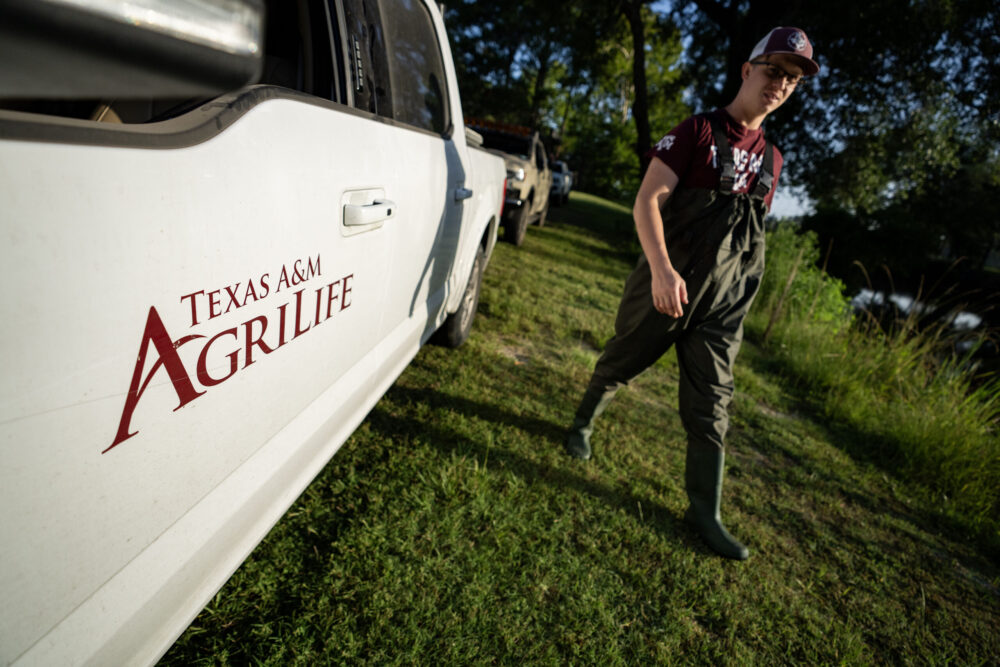
-
“The major difference with [PhotoShelter’s Adobe Lightroom integration] has been that we don’t have this weird fragmented upload process. It’s just one door into the platform that is PhotoShelter.”
 Prior Head of Photography and Market Development
Visit Greenland