Share
Brandfolder Alternatives: PhotoShelter vs. Brandfolder in 2026
Compare PhotoShelter to Brandfolder on AI search, live event video, permissions, and accessibility. Find the best DAM for your team.

Brandfolder and PhotoShelter both help teams organize, manage, and share digital assets, but they’re built for different kinds of work.
PhotoShelter’s the stronger Brandfolder alternative for teams that manage high volumes of photos, videos, and live event content and need to move it quickly. It’s built for real-time visual workflows, with AI search, automatic tagging, flexible permissions, mobile access, and content distribution tools that help teams find the right asset and get it to the right person faster.
The difference becomes clear when the work is urgent. If a partner, sponsor, press contact, social team, or internal department needs approved content right away, PhotoShelter helps teams search, share, and distribute it without digging through folders or building one-off collections by hand.
That’s why PhotoShelter’s the better fit for creative and marketing teams that need more than a place to store brand assets. It gives teams a faster way to turn their visual content into something people can actually use.
Media and Visual Asset Management
Effective asset management relies on speed, flexibility, and library organization. PhotoShelter supports real-time workflows across photos and video, helping teams move images from the camera into the DAM as they’re captured and work with live broadcast video before an event ends.
- Live Stream Video Workflow: PhotoShelter brings an existing live broadcast into the DAM so teams can clip, tag, and share key moments while the event is still happening. After the event, the full broadcast is saved to the library so teams can search it and create more clips later.
- Library Usability: Brandfolder utilizes a user interface that users find confusing and difficult to navigate for non-designers or external partners. PhotoShelter relies on an intuitive, user-friendly folder and gallery hierarchy that teams can adopt in less than a month.
- Filtering Limitations: Brandfolder enforces a hard limit on discovery; its advanced filtering mechanism can only retrieve up to 1,000 assets at a time. If your asset library grows beyond this, critical files might become completely invisible during searches. PhotoShelter doesn’t limit asset retrieval regardless of library scale.
- Granular Permissions: Brandfolder’s default permission architecture automatically grants guest accounts both view and download capabilities. Restricting an asset to “view-only” applies that restriction to all guests, forcing mid-market teams to upgrade to an expensive Enterprise tier just to get basic read-only gallery permissions for some users. PhotoShelter provides fully customizable, robust permissions out of the box without pricing penalties.
Mater Dei High School saw the full value when Gatorade needed a photo of star volleyball player Layli Ostavar after she was named Gatorade California Player of the Year. Allison Bergeron, Executive Director of Communications & Media Relations at Mater Dei High School, needed to find approved photos and send them fast.
“I went into PhotoShelter, typed in her name, saved a Smart Gallery, and sent them 200 assets in maybe 30 seconds,” Allison said.

Allison didn’t have to dig through old folders, ask a photographer to resend files, or build a one-off collection by hand. She found the content, created a Smart Gallery, and sent Gatorade a full library almost immediately.
Support and Training
While Brandfolder provides structured assistance during initial onboarding, customer support can drop off once the implementation phase is complete.
PhotoShelter provides a deeply supportive client experience, offering dedicated 1-on-1 customer service managers and rapid technical support turnaround times.
If an organization ever decides to migrate off the platform, PhotoShelter actively assists with the transition by offering self-download options or hard drive exports while preserving embedded metadata. Brandfolder historically has a reputation for difficult offboarding procedures.


AI and Search
PhotoShelter’s proprietary AI technology eliminates the manual burden of metadata hygiene, whereas Brandfolder relies heavily on traditional tag-based keyword searches.

- Player, Jersey, and Logo Recognition: PhotoShelter helps teams identify visual details that matter beyond faces. PlayerID recognizes players by their face, while jersey recognition can identify jersey numbers when athletes are wearing helmets, facing away from the camera, or moving through fast-paced game coverage. Logo recognition also helps teams find sponsor, brand, and partner content faster without relying on every asset being tagged by hand.
- Advanced AI Visual & Similarity Search: PhotoShelter features true visual and similarity search, allowing users to locate files by describing an image or video clip with natural language (e.g., “students lounging on the quad with a book”), even if the asset contains zero descriptive tags or metadata.
- Player and Logo Recognition: PhotoShelter helps teams identify visual details that matter beyond faces. PlayerID recognizes players based on their face and jersey, which is useful when athletes are wearing helmets, facing away from the camera, or moving through fast-paced game coverage. Logo recognition also helps teams find sponsor, brand, and partner content faster without relying on every asset being tagged by hand.
- AI Alt Text: PhotoShelter helps teams create alt text faster, making accessibility work easier to manage across large visual libraries. Instead of writing descriptions from scratch for every image, teams can use AI-generated alt text.
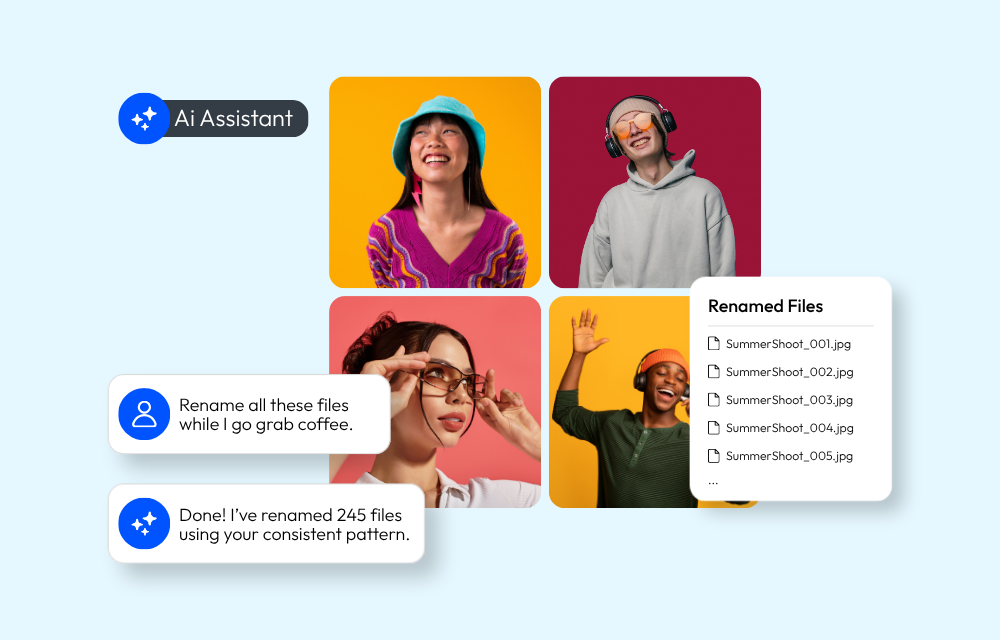
- AI Assistant: PhotoShelter is developing an AI Assistant that will let teams ask for content in plain language, refine the results through conversation, and create galleries from the assets it finds. It gives teams a faster way to handle detailed content requests without building every search and gallery by hand.
- Mobile Capability: PhotoShelter features a dedicated mobile application for uploading, searching, and sharing content on the move. Brandfolder doesn’t offer a mobile application, restricting management tasks to a desktop browser.
Integrations
Brandfolder connects closely with Smartsheet, which may be useful if your team already manages most work there.
PhotoShelter connects with the tools teams use to create, organize, share, and publish visual content, including project management tools, creative tools, social tools, and distribution workflows. That helps photos, videos, and brand assets move from the people who create them to the people who need them.
For marketing and creative teams, PhotoShelter goes further with Socialie. Teams can send tailored assets to athletes, influencers, partners, sponsors, and other stakeholders, then track what happens after that content gets posted.
UGC management adds another important difference. Teams can collect photos and videos through branded landing pages, QR codes, and URLs, then review, approve, and organize submissions into their media library. PhotoShelter’s UGC page describes this as a way to collect, curate, and use content from a brand’s audience while building a stronger content library.
View all PhotoShelter DAM Integrations
 |
 |
 |
 |
 |
 |
| Adobe | Canva | Figma | Getty Images | Marq | WordPr |
Accessibility
PhotoShelter also supports teams that need to keep visual content accessible. PhotoShelter publishes a VPAT, is built to align with WCAG 2.2 AA , and includes AI Alt Text for teams that need to make large image libraries easier to use with screen readers.
AI Alt Text can generate alt text at upload, let teams review or edit it, or apply it automatically when the field is empty. The alt text renders in the HTML alt tag in both Library and Portal views, which is what screen readers use to describe images.
Brandfolder doesn’t publicly make the same accessibility case. For teams in higher education, healthcare, government, or any organization with ADA and WCAG requirements, PhotoShelter gives accessibility a clearer place inside the DAM.
PhotoShelter vs. Brandfolder: Feature Comparison
| Feature Capability | PhotoShelter | Brandfolder |
| Live Stream Video Workflow | Yes. (Clip, tag, share, and save live broadcasts during an event) | No (Traditional manual upload systems) |
| Advanced AI Visual Search | Yes (Search descriptions without tags) | No (Dependent on standard keywords/tags) |
| AI Alt Text | Yes | No |
| Mobile App | Yes (Full upload, search, and share capability) | No (Desktop browser only) |
| Asset Filter Limit | Not limited | Limited to 1,000 assets per search |
| Social Distribution Suite | Yes (Native tracking & distribution tools) | No (Basic file sharing only) |
| User Generated Content (UGC) | Yes (Built-in fan/creator upload portals) | No (Requires external plugins) |
| CDN | Yes (shares assets worldwide) | Yes (Dynamic web auto-updates) |
Customer Reviews
G2 Reviews show the most common positive comments focus on ease of use, organization, sharing, search, and navigation.
Reviewers preferred doing business with PhotoShelter overall and often point to visual organization, thumbnails, AI search, and the ability to find photos faster, even when files aren’t tagged perfectly.
PhotoShelter review summary

PhotoShelter: Users rate PhotoShelter exceptionally high for its fast asset ingestion, ease of adoption, rapid real-time delivery, and superior ongoing technical support. Creative and fast-paced marketing teams prefer PhotoShelter because it makes asset sharing fast.
Brandfolder: Organizations choose Brandfolder when they require a workspace dedicated to work-in-progress file editing, tight native Smartsheet integration, or built-in web-linked brand guideline books.
How to Choose the Best Brandfolder Alternative
Selecting the right DAM solution starts with your team’s everyday workflow.
- Can your team find photos and videos without perfect tags?
- Can people upload and access content from events or offsite work with an app?
- Can you control who can view and download files?
- Can you share approved content with press, partners, creators, and internal teams without sending one-off links all day?
- Can the system still work when your library gets much larger?
- How easy is it to maintain accessibility with alt text application?
If your primary objective is to host an internal corporate style guide, or if your creative team is deeply dependent on Smartsheet for day-to-day operations, Brandfolder provides a functional workspace.
However, if your organization relies on high-volume visual content, needs to find untagged assets instantly using AI, requires strict and granular control over client downloading privileges, requires ADA compliance, or needs to distribute content to external partners the second it is produced, PhotoShelter is the superior alternative.
Frequently Asked Questions
What is the best Brandfolder alternative?
PhotoShelter is the leading alternative for teams that require a fast, intuitive library with advanced AI search, automated social distribution, and real-time media ingestion.
Is PhotoShelter easier to use?
Yes. PhotoShelter uses a user-friendly folder tree architecture and an intuitive front-end portal, avoiding the UI confusion found in Brandfolder.
Is it possible to migrate from Brandfolder to PhotoShelter?
Absolutely. PhotoShelter supports full library migrations and ensures that all of your existing metadata and tagging work remains embedded in your assets during the move.
Will you help us with our DAM migration?
Yes. PhotoShelter provides dedicated, 1-on-1 human support during implementation to ensure your library setup and asset transition run smoothly.
How long does DAM migration take?
While enterprise software transitions can sometimes take months, most PhotoShelter customers are fully onboarded and up and running in less than 30 days.
What happens if I need help after onboarding?
Unlike platforms that reduce support post-sale, PhotoShelter assigns a dedicated account manager to provide continuous, long-term assistance throughout your contract.
Ready to transform your team’s creative workflow?
You May Also Like
-
Brand Growth, Trendsetters
More Leading Brands Join the PhotoShelter Millions Club
Get to know the latest brands to join the PhotoShelter Millions Club, each housing over one million files in their media libraries.
-
PhotoShelter News, Product Updates
PhotoShelter Introduces AI Assistant
PhotoShelter’s AI Assistant helps teams rename files, build galleries, clean up metadata, and organize assets using plain-language requests.
-
DAM 101
What is the Best Bynder Alternative? PhotoShelter vs. Bynder
Compare PhotoShelter to Bynder on AI search, onboarding, and integrations. Find the best DAM for your team.


