8,000 employees needed a better way to manage brand assets
MetroHealth is a leading public health system serving Northeast Ohio, with 8,000+ employees, five hospitals, four emergency departments, and more than a dozen health centers across Cuyahoga County. For more than 180 years, the organization has served the community through hospitals, trauma care, burn care, and local health centers.
With so many employees, locations, departments, and partners, MetroHealth needed a better way to manage the photos, logos, videos, and creative assets that represent its brand.
The challenge: Brand assets were too hard to find and control
Kathy Walters, Brand Marketing Manager at MetroHealth, helps manage the brand assets that support campaigns, internal teams, departments, and external partners. Her team needs to make sure people can find the right files without using anything outdated or unapproved.
- Employees couldn’t tell which assets were approved. Kathy said, “There was no organization, there was no rhyme or reason as to why things were where they were, or updates as to what was the most current piece that they should be using.”
- One person handled too many asset requests. Kathy explained, “One person was responsible for all of the brand assets related to MetroHealth.” That setup created delays for the people waiting on files and pressure for the person trying to keep up with every request.
- Teams lost time recreating work that already existed. When people couldn’t find past creative work, they often had to start over. Files from older campaigns, past projects, or former employees were hard to locate, even when they still had value. That wasted time and made it harder for the team to build from work they had already paid for.
- The library became harder to search as it grew. MetroHealth had thousands of images, but not every file had useful tags or metadata. Kathy said, “Probably three months after I joined, I realized that nobody was tagging anything.” The team knew good assets existed, but finding the right one quickly was still harder than it needed to be.
“Giving people complete free reign also didn’t work out very well, simply because they would select a wrong logo, or an image that we didn’t have the rights to use.”
Kathy Walters, Brand Marketing Manager, MetroHealth
The solution: Secure access to approved assets fast
Before PhotoShelter became MetroHealth’s central brand library, employees had to depend on shared folders, manual requests, and team members who already knew where files lived. Now, employees can find approved assets in one place, while the marketing team keeps control over what people can see and use.
- One trusted home for brand assets. Kathy said, “For us, PhotoShelter is our way to have one resource and one place for the truth about who the MetroHealth brand is and all the assets that support it.” That central source helps employees know where to go and which files they should use.

- Employees can find approved assets without waiting on marketing. PhotoShelter helps MetroHealth reduce one-off requests by giving more employees convenient access. “They don’t have to wait two days for us to get back to them. It’s instantaneous.”
- Permissions help protect outdated or restricted files. Kathy explained, “I can still retain old images that should no longer be used, or logos, and file them in a way that only I or someone on my team has access to, but the rest of the system does not.” Flexible permissions help the team maintain their archive without the wrong assets getting reused.
- AI search helps the team find files faster. Kathy tells us, “We may have 16,000 images in our library, and by doing the search that I can with [AI Visual Search] and putting in different parameters. It helps narrow it down from 16,000 to maybe 100.”
- More than photography. MetroHealth uses PhotoShelter for photos, video, campaign assets, legal documents, and photo releases. Kathy said, “We have our TV spot, and I am thinking about using PhotoShelter as a resource for all of our new campaign assets that we’re developing.” What started as a place for images has become the hub for brand and campaign management.
“What we’re trying to do is leverage PhotoShelter as a library for all of the assets that we’ve created. So that way, if somebody changes jobs or leaves the system, somebody new can search PhotoShelter and find something that was created two years ago, and we can use that as a starting point versus having to recreate something.”
Kathy Walters, Brand Marketing Manager, MetroHealth

MetroHealth now has a brand library built for speed, control, and trust
MetroHealth needed more than a place to store files. It needed a way to help thousands of employees find approved brand assets without slowing down the marketing team or putting the wrong files into use. And they found that all-in-one solution with PhotoShelter.
“It really serves as our brand library. It’s the one place where our teams can find the right logos, photos, videos, and creative assets. It has been a game changer and a lifesaver for me, because now everything is sorted and filed and labeled as it’s supposed to be.”
Kathy Walters, Brand Marketing Manager, MetroHealth
Mater Dei needed a better way to tell their student stories
Mater Dei High School is a private Catholic high school in Santa Ana, California, and part of the Diocese of Orange. The school serves about 1,850 students and celebrates 75 years as the oldest and largest Catholic high school in Orange County.
28 CIF sports, six club sports, student activities, admissions, advancement, and other departments are all creating content, but files were spread across dozens of programs, inboxes, and drives. Mater Dei needed a better way to bring everything together.
The challenge: Great content was everywhere, but hard to use
As Executive Director of Communications & Media Relations, Allison Bergeron and her team support athletics, admissions, advancement, philanthropy, student life, media relations, and the broader school brand.
The school had no shortage of great content. The problem was that too much of it lived in separate places, with separate teams, and in file formats the communications team could not always use.
- Content was spread across too many teams and programs. Each program wanted to tell its own story, making it hard for the central communications team to capture the big picture. Allison explained everyone still needed to align with the school’s institutional voice and brand.
- The team lost time chasing images they couldn’t use. When Allison needed a specific photo for admissions, fundraising, magazines, ads, or donor communications, she often had to track it down by hand. When she did, the image might arrive through a text or email as a low-resolution file. “I would find myself stalled out trying to track down an image,” Allison said. “Someone would say, ‘I’ll text it to you,’ or ‘let me email it to you,’ and then it’s low-res or blurry.”
- Valuable school-owned content was getting buried after first use. Mater Dei had already paid for useful content, but the communications team could not always find it or reuse it. Allison said they would ask, “You paid a photographer or videographer to come cover your game, and you used five assets on social media. Where are the other 55 that person took?”
- Community-submitted content had no clear system. “Before PhotoShelter UGC, it was text messages or email. [Families, students, and parents] would send, ‘Here’s a great photo,’ and it’s tiny,” Allison explained. That worked for a few one-off moments, but it did not give Mater Dei an organized way to collect content from major events.
“The biggest challenge was finding a centralized, easy way to collect content from 28 different CIF sports and six club sports, both for their own storytelling purposes and for the global school storytelling purposes. It was really siloed out. Some programs understood how critical it was to capture and catalog images while students were in season, but beyond that, it would begin and end there.”
Allison Bergeron, Executive Director of Communications & Media Relations, Mater Dei High School

The solution: One place to save and share their best moments
Before PhotoShelter, Mater Dei had great content coming from every part of campus, but the team could not always find it or use it again. Now, the school has a shared library that helps teams contribute content, find the right assets faster, and keep each student’s story connected to the larger school brand for years to come.
Here’s how PhotoShelter helps Mater Dei work faster and tell student stories:
- One central home for Mater Dei’s content. Mater Dei now uses PhotoShelter to collect, organize, distribute, and reuse content across sports, admissions, the arts, advancement, philanthropy, student activities, and external storytelling. Allison called PhotoShelter “a critical game changer for us this year [to collect and distribute] content.”
- Teams can share content without feeling like they lose control. Coaches and departments have a shared system where they can still own their stories while contributing to the larger Mater Dei brand. The communications team can support their work without duplicating effort or taking over their identity. As Allison tells coaches, “We’re not looking to compete with you by centralizing your content and storage. We’re only going to amplify your story.”
- The team can send the right assets in seconds. When Gatorade needed approved photos of Layli Ostavar, Allison searched in PhotoShelter and created a Smart Gallery. “I went into PhotoShelter, typed in her name, saved a Smart Gallery, and sent them 200 assets in maybe 30 seconds,” Allison said.

- AI search helps Mater Dei tell a more complete student story. When someone asks for a student’s story, the team may need images from athletics, faith, service, academics, the arts, summer camps, and campus life. Allison said PhotoShelter’s AI Visual Search helps them gather assets that are not just “sports- or program-specific,” adding, “It tells the story of the whole child.”
- FileFlow keeps the content library available from anywhere. Mater Dei’s team moves across campus, events, games, and community moments, so mobile access matters. FileFlow gives them access to PhotoShelter when they are away from their desks. Allison described it as “having PhotoShelter in your pocket at all times.”
- College Commitment Day content now moves in hours instead of days. Mater Dei uses PhotoShelter to deliver photos and student commitment videos to sponsors, families, students, coaches, and colleges. That helps families and students celebrate the moment while it still feels fresh. Allison said content that “used to take a couple of days can be delivered in hours.”
- PhotoShelter UGC helps Mater Dei collect real community moments at scale. Mater Dei now uses PhotoShelter UGC to collect content submissions from families and students. At one new student parent welcome night, Allison said they received “30 or 40 submissions.” That gives the school more authentic content and helps build a student’s story from the first moments on campus.
“With a school like ours that has this deep athletic history, we’ll get requests for photos of a student during their years at Mater Dei. It might not just be football assets. It might be Bryce Young serving as a Eucharistic minister at Mass, reading at Mass, or leading kids at a summer camp.”
Allison Bergeron, Executive Director of Communications & Media Relations, Mater Dei High School
Mater Dei built a shared content system for the whole school
PhotoShelter helps make Mater Dei moments easier to collect, easier to find, and share in seconds. When content lives in one place, the communications team can move faster, coaches and departments can still tell their own stories, and the school can show a complete picture of what life at Mater Dei really looks like.
“When we had our first demo call with PhotoShelter, it felt like a dream come true. And although we are just getting started, we are beyond excited about what is ahead! We are so confident this investment will help us work smarter, organize faster, and achieve things we only imagined previously.”
Allison Bergeron, Executive Director of Communications & Media Relations, Mater Dei High School
Growing athletics program needed content fast
University of Maryland Athletics supports more than 550 student-athletes just outside Washington, D.C. The department competes at the highest level of collegiate athletics while maintaining a strong commitment to academic achievement and personal development. As the program grew and the visual content demands of modern sports media intensified, so did the pressure on the team managing every image. What started as a fragmented collection of contractor-submitted files needed to become something the whole department could actually use.
The challenge: Content demand outpaced the systems
Mackenzie Miles, Director of Photography, manages a constant flow of images from games, events, and freelancers. Her team works in real time, supporting social, marketing, and communications across the department. The job demands speed, coordination, and control, and when Mackenzie stepped into the role, the prior infrastructure wasn’t ready for it.
- Finding anything took too long. The library was messy and hard to use. “When I inherited everything, it was kind of chaotic… galleries were kind of all over the place, permissions weren’t updated, and it wasn’t easy for staff or external partners to find things.”
- Freelancers made consistency difficult. Remote photographers worked differently from the internal team. Files came in inconsistently, which slowed down publishing. Mackenzie needed a way to standardize how content entered the system.
- Archives older than five years were effectively invisible. Older assets weren’t properly tagged, meaning any search for historical content turned into a manual hunt. “A lot of the older stuff wasn’t tagged with metadata, so it was hard to go back and find specific things.” Valuable content existed, but it was not usable.
- Game day volume was overwhelming. “We can have five games going on at the same time,” explained Mackenzie. The team needed to ingest and route content instantly without confusion.
- Sensitive content risked leaks. Some projects had to stay private until launch. “Being able to secure those galleries so nobody could leak them… is super important.”
“Having PhotoShelter as a hub where different people can upload and access photos, while keeping our internal workflow consistent, is super important in sports. Even now, when I hire freelancers for away matches, I can set them up to send images directly into our library so our workflow stays the same for everyone. That consistency is unmatched.”
Mackenzie Miles, Director of Photography, University of Maryland Athletics

The solution: A modern DAM built for speed and control
PhotoShelter gave Maryland Athletics the structure it was missing, with enough flexibility to match the pace of a major sports media operation. The team rebuilt its workflows from the ground up, and the results are visible every game day.
- Real-time delivery became standard. Live FTP pipelines push images directly into the right folders during games. “Being able to transmit in-game with one click has been a huge change for us.” Social and comms teams now get content instantly.
- Structured subfolders make assets findable. Rather than one flat wall of galleries, sports are now organized into distinct categories. “We’ve split our sports into subfolders,” Mackenzie said, “assets, events, games, miscellaneous, and practices, so it’s easier for people to find things rather than digging through all the galleries.”
- Smart Galleries removed manual work. With Smart Galleries, metadata automatically sorted content into usable collections. Marketing and design teams could grab what they needed without asking.
- AI Visual Search makes untagged content searchable. Old content became usable again. “We’ve searched for fans wearing red sunglasses or Hawaiian shirts… Being able to AI search for those specific things has been super helpful.”

- Workspaces give teams independence. Marketing can collaborate without bottlenecks. “[In Workspaces], they can collaborate within their department instead of always having to go through me.” The workload spread out naturally.
- Permissions added control without friction. Permissions were tailored by team and use case. “I like being able to control who can see our photos… Having that control is really important.” Sensitive content stayed secure.
“We keyword all of our photos when we’re adding metadata for mascot, fans, and cheer, so they automatically populate into Smart Galleries. It makes it easier for marketing and graphics to quickly find what they need.”
Mackenzie Miles, Director of Photography, University of Maryland Athletics
A content hub that works for the whole department
PhotoShelter became the system the entire department runs on. The photo team spends less time fielding requests and more time doing the work that matters. As the program continues to grow, the infrastructure is built to grow with it.
“PhotoShelter has so many different attributes. Not only can you archive all of your photos and use it as an internal source, but you can also use it as an external source sharing galleries from donor events or NIL events quickly and easily. I would describe it as our archive and our content hub. It’s where we store everything, and everyone has access to what they need.”
Mackenzie Miles, Director of Photography, University of Maryland Athletics
UMD runs on PhotoShelter across campus and departments. See how University of Maryland Medical System manages their media library with PhotoShelter.
Liberty U needed a system to scale
Liberty University is a large private institution in Virginia with over 700 academic programs and a strong presence in NCAA Division I athletics. Their creative team supports a wide range of departments, programs, and marketing needs across campus.
As the university expanded, demand for visual content increased across internal teams and external audiences. They needed a system that could scale, simplify access, and keep content moving without slowing down their photographers.
The challenge: Managing growth without slowing down content
Joel Coleman, the Managing Photographer, and KJ Jugar, Senior Photographer, spend their days capturing the vibrant life of Liberty University. Their work involves shooting countless events and managing a huge archive of images. Getting those photos to the people who needed them, when they needed them, was an ongoing struggle.
- Outdated DAM couldn’t scale with needs. The system failed as demand increased. Joel explained, “Our DAM at that time was not willing or able to scale with us. Technologically speaking, it was not as robust as some of the other solutions we were considering.” As usage expanded across departments, the platform became a bottleneck instead of a support system.
- Limited control of file access. They couldn’t give different departments specific access to certain photos. Joel said it was “kind of everything or nothing,” which didn’t work for a large archive. Teams needed flexibility to share assets safely without exposing everything.
- VPN-only access slowed down delivery. Teams had to connect just to access or deliver files. Joel noted this wasn’t feasible as “social media and hybrid roles grew.” It created delays in moments where speed mattered most.
- Adding users took days. Every new user required IT involvement. KJ shared that adding access meant “submitting a ticket… maybe a couple of days after that.” It slowed onboarding and wasted time.
- Delivery and storage were disconnected. Assets lived in separate systems. KJ explained that images were sometimes uploaded for delivery, but never made it into the DAM. It created extra steps for the photographer or project coordinator, and sometimes the content got lost.
“As the university continued to grow, as our team grew, as our marketing department grew, as our usage of images grew not only for our internal needs but also externally, there came a time when we just needed more.”
Joel Coleman, Managing Photographer, Liberty University

The solution: One DAM system that scales
Managing photos at Liberty University felt like an uphill battle. With Photoshelter, everything runs through a single system built to support growth and speed.
- DAM that scales with demand. PhotoShelter grew alongside the Liberty U team. Joel said, “There are so many ways PhotoShelter has supported us as our needs have evolved.” The system now handles increasing volume without breaking.
- Access is now controlled at every level. Joel explained, “We have users from every corner of the university accessing this for so many different projects, and we have to be very sensitive with the amount of access given and make sure that all of that information is accurate.” Teams get what they need without the risk of revealing the full archive.
- Self-service design. People can find and download the images they need themselves, which means Joel and KJ spend less time on requests and more time shooting. Joel explains, “Our goal has been, from the very beginning, to design a service that is as self-service as possible. We want people to be able to get into it, understand where to find stuff and how to use it, and then let them go.”
- Analytics justify investment and prove ROI. With PhotoShelter Analytics, the team can now easily show how much their photo system is being used, proving its value to the university. KJ mentioned, “Being able to showcase that information is really important. It’s icing on the cake to be able to say, ‘this is how critical this has been to our process over the last year.’”
- AI Visual Search supports their large galleries. For shoots with thousands of images, AI Visual Search helps users quickly find what they’re looking for, even if it hasn’t been keyworded. KJ gave an example: “For commencement, we delivered about 2,500 images. That’s a lot to look through if you’re looking for something specific. That’s not necessarily something we would have keyworded, but that is something the AI search feature can find really well.”

“When we transitioned to PhotoShelter and consolidated all those images, we quickly realized there were actually a lot of photos that fell through the cracks before. Now our DAM and our delivery system are one and the same. Being able to upload images and have users easily access them where they permanently live has been a lifesaver.”
KJ Jugar, Senior Photographer, Liberty University
Modern DAM support for Liberty University’s visual story
PhotoShelter has truly changed how Liberty University handles its vast collection of images. What used to be a frustrating process of managing separate systems, slow access, and lost photos is now a smooth, efficient operation. Joel and KJ’s team can now focus on what they do best: capturing the spirit of Liberty University, knowing that their photos are secure, accessible, and ready for anyone who needs them, whenever they need them.
“We don’t want to be the linchpin in anything being successful. We want to be able to keep that pipeline flowing for whatever creative idea or logistical need…
We know that PhotoShelter can meet that.”
Joel Coleman, Managing Photographer, Liberty University
UNI needed its visual library to work fast
The University of Northern Iowa is a public institution in Cedar Falls serving approximately 9,300 students, with more than 160 majors and minors, over 200 clubs and organizations, and 17 NCAA Division I athletic teams. The communications team supports the entire campus, where every department needs visuals. As that demand grew, so did the opportunity to find a smarter way to manage it. With hundreds of thousands of photos stored across systems, the team knew that a modern DAM could unlock the real value of every asset.
The challenge: Existing workflow wasn’t built for scale or speed
Sarah Judisch (Senior Graphic Designer), Jacy Werning (Social Media Coordinator), and Adam Amdor (Associate Director of Communications) rely on fast access to images every day. They saw their brand re-launch as the perfect moment to rethink how visual assets were managed and distributed across campus.
- Assets were hard to find. “We had hundreds of thousands of photos, and people had to come to our office, scroll through them on a computer, copy them to an external drive, and take them back,” Sarah recalled. “Even for me, searching took forever — you had to manually search through everything in Bridge, and later Lightroom. It was a time-consuming process to find visual assets and keep current materials distributed to other creators on campus.”
- Outdated tools made delivering assets slow. Campus creators working on their own projects depended on the communications team to send files, and every handoff ate into everyone’s time. In Sarah’s words, “It took so much time, and it made everything harder than it needed to be.”
- Valuable time lost to access requests. They started with a system where people had to ask for access to files, which created more admin work. “At first, our rollout was pretty transitional,” Sarah said. “People had to request access, so we were basically gatekeeping. We eventually moved away from that — it wasn’t worth the extra work.”
- Consistent tagging wasn’t possible. With freelancers contributing content, the team wanted a platform that could accommodate different contributors without breaking down. “We don’t have a designated photographer,” Jacy said. “Our multimedia coordinator organizes a lot of videography and photography, but he isn’t always out shooting, and that creates gaps. We also hire freelancers, and not everyone tags the same way. We’re just not in a place where detailed tagging is ever going to fully catch up, and we don’t have time for it most of the time.”
“Teams are constantly evolving. We don’t have time to constantly update permissions, especially at a university of our size.”
Sarah Judisch, Senior Graphic Designer, University of Northern Iowa

The solution: One shared library makes content easy to use
What used to require office visits, external hard drives, and endless scrolling now runs through a single platform built for a decentralized university. PhotoShelter gave UNI the structure to organize everything and the AI intelligence to find it, even when tagging falls short.
- Managing individual permissions is easy. At a university where teams are always evolving, the last thing anyone needs is another admin task. “SSO is helpful for a lot of reasons,” Sarah said. “We don’t have to manage permissions constantly. It saves time, and it helps everyone stay on brand because they can access the right assets.”
- Flexible permissions balance access and control. Most campus users can access what they need without any gatekeeping, but the team still manages what shouldn’t be public. “The biggest question was always: who should have access to what?” Sarah explained. “Now, for the most part, everybody can access what they need. But we can keep certain things under lock. We’re able to set permissions when we need to.”
- AI makes a huge library searchable. “Our library has hundreds of thousands of photos,” Jacy said. “The AI Visual Search brings up images I would never see otherwise, and it makes everything faster. On the social side, we move at a really quick pace. I had a project going out that needed an image in the next 10 minutes, and the AI search gave me three perfect options. I picked one and ran with it.”
- Smart filtering keeps social content fresh. On a campus where the student body turns over every four years, yesterday’s photos age fast. “For social, if a photo is more than a year old, I’m probably not going to post it,” Jacy said. “Students cycle through quickly, and people notice. So filtering by date is something I use often.”
“We’re not going to tag everything, like ‘students walking outside,’ but I search for that all the time. Early on, we weren’t thinking about details like interior versus exterior, or seasonal scenes. Now I can search things like students walking outside in snow, and it helps a lot.”
Sarah Judisch, Senior Graphic Designer, University of Northern Iowa

UGC turned the campus community into a content engine
UNI has too many moments happening at once for a small team to capture. Most of the best stories live with students, families, and the community (also known as user-generated content or UGC). UGC gave the team a way to turn those moments into usable content at scale.
- Students became on-the-ground creators. Adam explains, “We hosted a campus-wide day of service that involved more than 2,000 volunteer opportunities across dozens of projects. There’s a real desire to document as much as we can, and we already have a tool that can help. We were able to use PhotoShelter UGC to collect hundreds of assets through a campus army of content gatherers, all submitting photos from their point of view.”
- Content packaging became fast and simple. For Jacy, “Now everything is in one place. I can download the story and photos, drop them into a folder, and send them straight to our content writer. The efficiency surprised me, and honestly, I’m excited I don’t have to go read through hundreds of Facebook comments.”
- UGC campaigns drove strong engagement. Jacy shared the results of a campaign asking couples who met at UNI: “We got over 110 submissions and almost 200 photos, with two-to-three-paragraph stories.” The response included detailed, emotional stories that connected with their audience.

- Authenticity improved performance. UGC consistently outperformed polished content, including posts with 300% higher share rates. Real moments from students and families resonated more than staged visuals. Jacy explained, “One of our highest performing back-to-school posts was moms and dads submitting photos of hugging their kids goodbye. We can’t always capture those moments since they’re happening in dorm rooms and in the backseats of minivans. But that’s the content that performs well.”
“I think for us, authenticity just means listening. Listening to our audience and listening to our data. Whether that’s a day-in-the-life video filmed by an 18-year-old walking around campus or a collection of photos from the first day of classes , content like that, is what our students love. And now we’re able to capture it.”
Jacy Werning, Social Media Coordinator, University of Northern Iowa
UNI keeps growing with a modern DAM that scales
What once required office visits and external hard drives now happens in seconds from anywhere on campus. The team spends its time creating instead of searching, and every department works from the same visual foundation. The archive grows every semester, and nothing gets lost.
“Before PhotoShelter, it took forever to find assets and to share and distribute them. It was so time consuming. I can’t imagine not having a digital asset management system now.”
Sarah Judisch, Senior Graphic Designer, University of Northern Iowa
Meeting the demand for fresh content
FreshDirect pioneered online grocery shopping in 2002, offering the best in fresh food delivered directly to homes and offices. Operating from a state-of-the-art facility in the Bronx, they serve the greater New York City metropolitan area and seasonal locations. FreshDirect prides itself on innovation, delivering high-quality, fresh food and creating joyful, delicious food experiences for its customers.
Their unique rating system, where experts taste over 800 fresh products daily, guides customers to the best produce and seafood. This commitment to quality and customer satisfaction, backed by a 100% Happiness Guarantee, meant that their digital presence needed to reflect the same high standards.
The challenge: Disconnected systems and slow access
Chris Kopsachilis, FreshDirect’s Creative Director, oversees the visual strategy that brings the company’s commitment to freshness to life. His team’s daily tasks involve generating a high volume of visual content for various platforms. But their system made it difficult for teams across the company to access the images they needed.
- Selling visually without a physical store. Since customers can’t look at items in a store, FreshDirect uses imagery to build customer trust. The team needed an easy way to show the impact of their creative efforts for internal stakeholders.
- High demand for content across multiple channels. FreshDirect needs a constant stream of content and requests for images were slowing down the production process. Chris highlighted the importance of getting content out fast: “The efficiency of getting a promo out the door, or an image up on the site where the customer can see it, is key.”
- Disorganized internal storage. The legacy system was server-based, hard to access, and required significant internal support. “It was run on a server in-house, which really wasn’t ideal. It required a lot of processing power and networking support.” said Chris.
- Slow searches for assets. People throughout the company struggled to find the files they needed, leading to repeated requests to the photo team.
- Limited control when non-creative teams needed assets. Merchandising and other departments needed images, but the creative team still needed to maintain control to prevent misuse. Chris emphasized, “The ability to share with other folks who may need certain access, but not everything, is important. That level of control is good, because we don’t want teams using certain things without brand oversight.”
“You need to see all of the assets as they’re being created. Speed is critical for us, and when product changes or promotions shift, we need to quickly go back, find images, and build something new.”
Chris Kopsachilis, Creative Director, FreshDirect

The solution: Speed and control through cloud-based DAM
FreshDirect moved from a challenging, server-based system to a cloud-based solution that transformed how they managed and distributed their visual content. It allowed them to improve speed, collaboration, and brand control.
- Faster content execution. PhotoShelter helps FreshDirect’s team make quick changes when inventory shifts or promotions need to go live quickly. Chris explained, “We needed a cloud solution, so PhotoShelter was perfect. It gave us the speed and flexibility we needed without adding complexity.”
- AI visual search finds assets quickly. The ability to quickly recall images prevented wasted time and supported rapid creative decisions. Chris found this feature essential: “We have so many assets in there that we’re probably overlooking, and the AI search uncovers older work we might have forgotten about.”
- Permissioned sharing protects the brand. Stakeholders can now get the assets they need without losing brand identity. Chris noted, “We have the ability to share with other folks who may need certain access to our assets, but not everything. That makes collaboration easier while still protecting the brand.”
- Smart Galleries and IDs keep efficiency at scale. Chris shared, “We’ve assigned the product description number to the product shots, and we’ve reduced the need to overly meta tag. We’re gaining more efficiency by creating [Smart Galleries] that are need-based rather than overly structured.”
“All of that goes back to speed. The efficiency of getting a promo out the door is key. We’re always in a rush to do a lot of different things at one time.”
Chris Kopsachilis, Creative Director, FreshDirect
FreshDirect’s commitment to excellence shines through its content
FreshDirect’s adoption of PhotoShelter has fundamentally changed how they handle visual content, enabling them to maintain their promise of freshness and quality in the digital space. The move to a cloud-based system addressed critical challenges, from slow asset retrieval to the need for brand oversight. This shift has not only improved internal operations but also strengthened FreshDirect’s ability to connect with customers through compelling, timely visuals.
“Working with PhotoShelter has been vital to our success and I’ve been a strong advocate for the platform since bringing it to FreshDirect. Moving through this amount of creative work without it at this pace would simply not be possible.”
Chris Kopsachilis, Creative Director, FreshDirect
Growing team needed one reliable home for club history
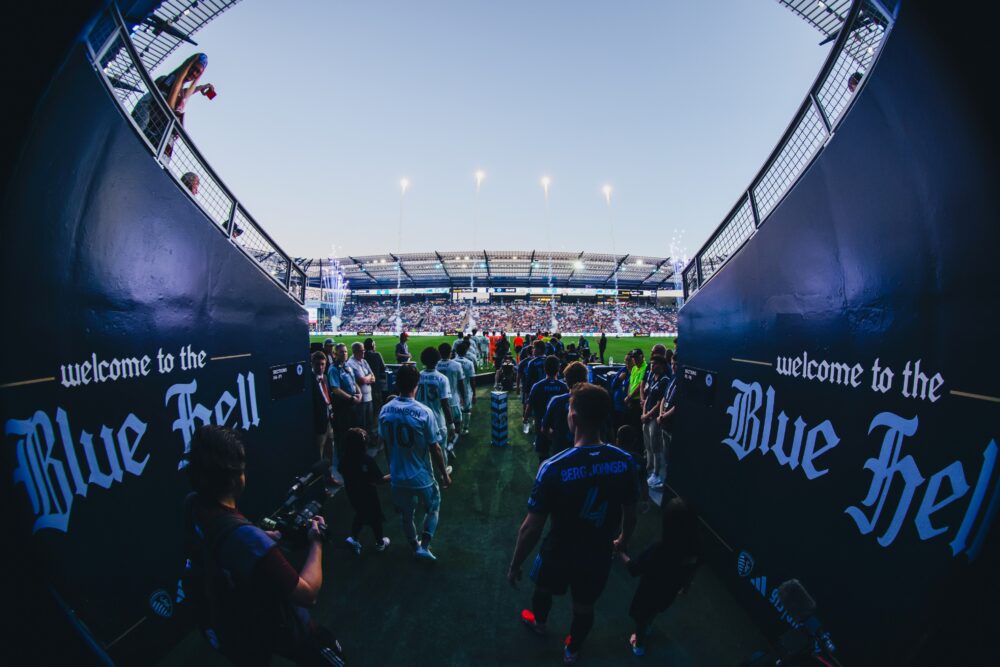
Sporting Kansas City competes in Major League Soccer’s Western Conference, representing the Kansas City metro area at the highest level of the sport in the United States. With a constant cycle of games, press obligations, and social content demands, the club’s creative team generates and distributes a high volume of visual assets year-round. As the organization’s digital presence grew, the team identified the need for a more robust, centralized asset storage solution to protect their expanding library.
The challenge: Scaling accessibility at the speed of the game
Tyler McBee, Social Media Manager, pulls from the club’s visual archive to fuel content across Sporting KC’s social channels, sourcing the right shot from both current and past seasons. Alex Lorenzo, Staff Photographer, captures everything from game day action to behind-the-scenes moments, fielding a steady stream of image requests from across the organization. To meet these demands, they required a sophisticated system built for modern speed.
- Establishing a single source of truth. Previously, the club’s visual archive was distributed across various physical and cloud storage accounts. The team recognized that a centralized, cloud-native platform was essential to ensure every image was accessible in a single location.
- Meeting high-velocity press demands. Game day means constant movement and tight turnarounds for press releases and social posts. Alex noted the importance of agility: “We often manage urgent requests for high-profile news agencies and need to deliver professional-grade images on a moment’s notice.”
- Protecting a multi-decade legacy. To safeguard the club’s historical narrative, the team prioritized a reliable backup system. Alex recalled that the move to PhotoShelter was sparked by the desire to create a permanent, secure digital home for the club’s entire visual history.
“In a high-velocity sports environment, our visual identity is our most valuable currency. We realized that to maintain the standard of excellence Sporting KC is known for, we needed to move beyond simple storage. PhotoShelter has become the central nervous system for our creative department, allowing us to stop ‘searching’ and start ‘storytelling’ at the speed of the game.”
Nate Saathoff, Creative Director, Sporting Kansas City
The solution: Workflows built for game day speed
What used to involve searching through distributed drives now runs through a single platform designed for the precision a professional sports team demands. PhotoShelter gave Sporting KC the structure to organize and activate their assets instantly.
- Custom metadata for precise indexing. The team built custom filters for players, venues, and kits, turning broad searches into precise results. Pulling the exact image for a press request now takes seconds rather than minutes.

- Al auto-tagging for instant distribution. “We’ve maximized Al tools and facial recognition so players can access their photos immediately after the game,” said Alex. “It’s a massive efficiency gain for our entire workflow.”
- Al Visual Search for one-off requests. For specific needs like sponsor logos or sideline props, Al Visual Search finds assets that haven’t been manually keyworded. “When we get a unique request for something like ‘Coca-Cola,’ Al Visual Search pulls those photos instantly,” Alex shared.
- FileFlow for mobile connectivity. During games, Tyler uses FileFlow to find and download photos directly to his phone. “Being able to stay connected and move assets while I’m away from my desk has been a total game-changer,” he said.
- Simultaneous FTP workflows. The team utilizes an FTP workflow so multiple photographers can upload images simultaneously. “The process is incredibly straightforward, allowing us to get images exactly where they need to go fast,” noted Alex.
“I’m constantly mining our archive for this season and past club history. The ability to filter by player or even specific kits makes it easy to find exactly what I need to keep our content fresh and relevant.”
Tyler McBee, Social Media Manager, Sporting Kansas City
Sporting KC scores with a modern DAM that supports the whole organization
By implementing a modern DAM, the team has streamlined how they find historical moments and fulfill last-minute requests. The library grows every game, and the club’s visual heritage is fully protected.
“As we manage over 950,000 assets, the challenge wasn’t just where to put them, but how to make them actionable. By integrating Al-driven tagging and specialized FTP workflows, we’ve empowered our entire organization with instant access to our brand’s most iconic moments. It’s not just a tool; it’s a competitive advantage for our creative team and the Sporting organization as a whole.”
Nate Saathoff, Creative Director, Sporting Kansas City

“PhotoShelter allows us to provide a polished, finished product to the people who need it. I can maintain the integrity of our raw files while giving our associates direct access to the final deliverables they need to do their jobs effectively.”
Tyler McBee, Social Media Manager, Sporting Kansas City
Photos provided by Alex Lorenzo / Sporting Kansas City
1.6 million images needed to be surfaced
The Tennessee Titans compete in the NFL’s AFC South division, representing Nashville on a national stage every season. Behind the on-field action, the organization produces and manages a constant stream of visual content, from game photography and player portraits to partnership assets and social media creative, spanning years of franchise history.
As the demand for imagery grew across departments, the team’s legacy archive became more of a liability than a resource. Over a million images sat in a system where most of them were effectively invisible.
The challenge: A massive library nobody could actually use
Donald Page, Director of Team Photography, is responsible for capturing and managing the visual identity of the Titans. Nate Bain, Director of Social Media & Influencer Marketing, relies on that visual library daily to fuel content across the team’s social channels. The problem wasn’t a lack of images; it was that finding the right one felt nearly impossible.
- Huge archive with no way to search it. When the Titans moved away from their prior system, years of content came over as a bulk dump. Nothing was categorized, nothing was labeled, and nothing was easy to find. “There was a dump of content that wasn’t searchable,” Donald said. “No metadata, nothing tagged.”
- Years of images missing tags. Donald inherited a library built entirely by external photographers, but tagging and keywording were never included. “Photography was 100% contract and metadata wasn’t part of the contract,” he explained, which meant the archive grew without any structural foundation.
- Digital assets scattered across teams. Teams across the organization stored assets wherever was most convenient: desktop folders, local servers, wherever they could. Workflows varied from person to person. The path of least resistance was to reuse whatever images were already close at hand, rather than dig through an unorganized archive for something better.
“Before PhotoShelter, people kept folders on desktops or servers, processes weren’t consistent, and they reused the same images because those were easiest to find.”
Donald Page, Director of Team Photography, Tennessee Titans

The solution: AI-powered library for the whole organization
What used to be a bottleneck, with every request funneled through the photo team, is now a self-service system that moves at the speed the Titans need. PhotoShelter gave the organization a single source of truth for over a million and a half images, with the tools to actually find what they’re looking for.
- Every department can access the library and keep moving. “PhotoShelter gives the organization fast access to the image library,” Donald said. “We onboard people, and they can find what they need.”
- AI Visual Search makes a library of 1.5 million images usable. Tagging every image in an archive that large isn’t realistic, but AI Visual Search closes the gap. “With over a million and a half images, AI search helps us find what we’re looking for when we can’t get metadata perfect every time,” Donald said.
- Teams are using new assets. Better search means better creative output. Images that once sat buried in the archive are now surfacing in campaigns and social content. Donald sees it daily: PhotoShelter “helps teams find new, fresh images that amplify the brand.”

- Quick-turn requests get handled from anywhere. The speed of content delivery has changed. Donald no longer needs to be at his desk to fulfill an urgent ask. “Now I can find an image on my phone, download it, send it, and keep moving,” he said, a shift that eliminates friction on game days and beyond.
- LogoID makes partnership workflows faster. Sponsor-branded imagery is a critical need, and the next step is making it effortless to locate. The Titans are rolling out LogoID to build smart galleries for their partnerships group, making it simple to “quickly find assets that support our partners,” as Donald described.
- Thousands of hours recovered across the organization. Without self-service access, Donald estimates, “people would spend half their day pulling images.” The time saved across departments adds up to what he calls “thousands of hours” that now go toward higher-value work.
“A great image is no good if you can’t find it. PhotoShelter helps us find our best work.”
Donald Page, Director of Team Photography, Tennessee Titans
Championship-level archive for the NFL brand
An archive that once buried its best work under years of disorganization now powers the Titans’ brand. Departments move faster, creative output is fresher, and the photo team spends its time shooting instead of fielding file requests.
“With PhotoShelter, you can just log in and find whatever you’re looking for at your fingertips.”
Donald Page, Director of Team Photography, Tennessee Titans
Photos provided by Donald Page / Tennessee Titans
Creating a solid digital asset management strategy
As one of three NHL franchises in the New York area, the Islanders’ creative team captures a massive amount of content that extends far beyond the ice. To manage a growing library of photos and make them easily accessible to their entire 200-person organization, they needed a digital asset management (DAM) system that was fast, organized, and intuitive.
The challenge: Organizing and finding content
Senior Manager of Photography Dennis DaSilva is responsible for capturing and delivering images for every part of the organization. His work includes game action, community events, sponsorship activations, and concerts. His team struggled with an old system that was clunky and disorganized, making it difficult for colleagues to find the assets they needed.
- Limited categorization made the old system harder to use. The previous platform worked for basic storage but could not fully organize the library. As Dennis explained, they were struggling with “being able to fully take advantage of the organization’s ability to categorize things.”
- Teamwide access was inconsistent. Without a clear central hub, employees and partners struggled to search for or request images. Content was siloed, preventing various departments from easily finding and utilizing the high-quality images the photo team produced.
- No storage for non-game photography. NHL teams can access Getty Images for game coverage, but everything else lacked a home. Photos from street hockey programs, marketing shoots, and arena events were stored across scattered locations.
- Missing metadata made searching slow. Without a consistent and deep metadata strategy, finding specific assets was a major roadblock. Dennis notes, “A lot of times, things were getting lost by the wayside because there was a sheer lack of metadata… we needed a place to store them where it would be easy to find something that we took 4 years ago”.
“Before PhotoShelter, it was difficult to see the value of our photos at a high level because everything wasn’t as accessible.”
Dennis DaSilva, Senior Manager of Photography, New York Islanders
The solution: A real-time, AI-powered DAM for a modern sports
Before PhotoShelter, the Islanders’ asset management was a bottleneck that slowed down the entire company. Now, with a centralized and streamlined DAM, the team has unlocked a seamless, real-time workflow that empowers everyone from social media managers to external partners. Here’s how PhotoShelter helped turn the team’s challenges into wins:
- One organized and centralized library. The team can now build a sophisticated organizational structure that works for their entire company. “With PhotoShelter, you can set up different collections and galleries… More layers of organization are always better for us,” says Dennis. This structure provides a “singular place where everyone knows to go,” making the entire process “so much more streamlined”.
- Finding the perfect asset is faster than ever. They utilize a robust tagging system that employs custom shortcuts, or “Typeinator keys,” which automatically apply multiple keywords to an image. For more granular searches, Dennis uses AI Visual Search. “If I’m looking for a very specific image of a mother and daughter or father and son watching a game… it’s super helpful” in narrowing down hundreds of results to find the exact moment.

- The team can fulfill requests from anywhere. On-the-go access is critical, and Dennis relies heavily on the FileFlow mobile app. “I use FileFlow every single day,” he says. “If I’m on a shoot and somebody asks for something… It’s really great to just have that access to our system from my phone… I appreciate having the whole database at the tip of my fingers.”
- Their game-day workflow is now in real time. Speed is everything on game days, and the Islanders’ photo team now delivers assets from the ice to social media in minutes. They use Ethernet connections at photo spots to FTP images directly into a PhotoShelter folder where the social and digital teams have immediate access. “A goal is scored, we pull those cards immediately… getting them tagged out within 3 to 5 minutes,” Dennis explains.
“I think between our organization, we put up around 50,000 downloads or something like that in a 365 day period, which was pretty cool to see. And we look at those built-in analytics often. We take everything into account to make sure people are really utilizing PhotoShelter to the fullest. It’s a strong system, so we want our entire company to know that it’s available to them when they need it.”
Dennis DaSilva, Senior Manager of Photography, New York Islanders

A content power play
Switching to PhotoShelter gave the Islanders one organized home for every image they produce. The ability to track downloads with built-in analytics helps prove the system’s ROI and adoption across the company. They went from a state of disorganization to a workflow that is completely dialed in.
“PhotoShelter really does everything that we need it to do. We went from essentially nothing, to really learning what a DAM could do, to using PhotoShelter and having our process locked down and tough as nails. It’s just been everything that we could ask for at this point…. Our reps are great, too. They always have our backs when we have questions and if we need information. Very helpful.”
Dennis DaSilva, Senior Manager of Photography, New York Islanders
Unifying the brand across a diverse campus
The University of Vermont is a top-tier, R1, research institution focusing on liberal arts, health, and the environment. It occupies a sweet spot in higher education, offering the resources of a large university with the mentorship feel of a small college. To keep their brand consistent across dozens of departments, UVM needed a better way to manage their massive photo library. The Strategic Communications team required a single system that worked for the entire campus.
The Challenge: Silos that made finding files impossible
Creative Director Cody Silfies manages the university’s visual identity and handles internal requests for photos. Days were often consumed by hunting down files scattered across different drives and inboxes. Without a central system, retrieving assets was a slow, manual process.
- Files were hidden in too many places. Images lived on shared drives or individual hard drives, so there was no single place to browse the library. If the central team needed photos from Student Life, they had to email staff and wait while someone dug through folders manually.
- Locating original high-res files required detective work. Staff often sent tiny, pixelated web images to Cody asking for the original high-resolution version. He had to hunt through thousands of photos and guess search or metadata criteria like the creation date and/or filename to find the right one.
- Six years of photos were effectively lost due to bad tagging. The labeling system was haphazard and inconsistent, making it impossible to search the archive reliably. Because nothing was tagged with a standard system, the institution’s visual history was gathering dust instead of being used.
- Separate accounts wasted money and time, and made collaboration impossible. University units like the College of Medicine and Athletics originally bought and managed their own separate systems because they needed strict privacy settings and specialized workflows.
“We had six years of photo and video assets, and no one could find anything because nothing was tagged appropriately.”
Cody Silfies, Creative Director, University of Vermont

The Solution: Getting the whole campus on the same page
Before, the team was constantly reacting to problems and searching for lost files. Now, they operate proactively with a smart system that makes assets easy to find.
- The team built a true home base for all content. They pitched the platform as an easy, self-service system for anyone at the university. Cody notes, “Having a central location, the UVM portal, for people in the university community to find assets has been incredibly helpful.”
- Single sign-on controls who sees what. Single sign-on (SSO) lets the team ensure that “what’s private stays private, and what’s available to the public or media is ready to go,” Silfies explains. It gives them total control over permissions without manual upkeep.
- PhotoShelter AI stopped the manual digging. With AI Visual Search, users can now search for a description like “purple blouse” and instantly find the right photo. And with PeopleID, “senior leadership or media experts automatically feed into their respective galleries.”

- Smart Galleries automate public collections. By tagging a photo as ‘Stratcom Select,’ and utilizing Smart Galleries, selected/approved photos automatically appear in a public gallery without anyone moving files. The media relations team can simply open a link and grab what they need immediately—or share it with their media contacts without worrying about low-quality or incorrect photos being in the mix.
“For anything flowing through our office, I make sure it’s properly tagged so five or six years down the line we can still find it.”
Cody Silfies, Creative Director, University of Vermont
Solving the silo problem with partitioned libraries
Departments originally bought their own separate digital asset management systems because they needed control over strict privacy requirements and specialized workflows. But this setup wasted time and money, and made cross-collaboration difficult.
UVM used the PhotoShelter separate teams feature to merge everyone into one while keeping their data totally isolated:
- Privacy is guaranteed. The medical school (Larner College of Medicine) kept its own private portal within the system. No one sees their files unless invited, which satisfies potential HIPAA issues and proprietary asset requirements.
- Costs dropped immediately. As Cody Silfies noted, “You don’t need to be paying $10,000 for your one little instance” when you can share the main license for a fraction of the price.
- Contract management is simple. The “nightmare” of managing multiple renewals months in advance is gone. There is now a single agreement for the university that covers all departments.

A picture-perfect future with a connected campus
Moving to PhotoShelter fixed the structural problems between departments. By using partitioned libraries, units such as Athletics and Medicine maintain their independence and privacy without requiring the university to purchase duplicate software.
“PhotoShelter is our central repository for our premium assets. The best of the best. Not a dumping ground. The crème de la crème of what best represents UVM.”
Cody Silfies, Creative Director, University of Vermont